The email address on your card is also used to log in to Bitaqa. You can change it, but not delete it.
Button names are shown as in the French interface.
1

Open the card editor

In Cartes de Visite, click Modifier le profil on your card, À propos tab.
2

Change the address

In Informations de contact, Adresses e-mail section, edit the address. Use Ajouter un e-mail to add another one.
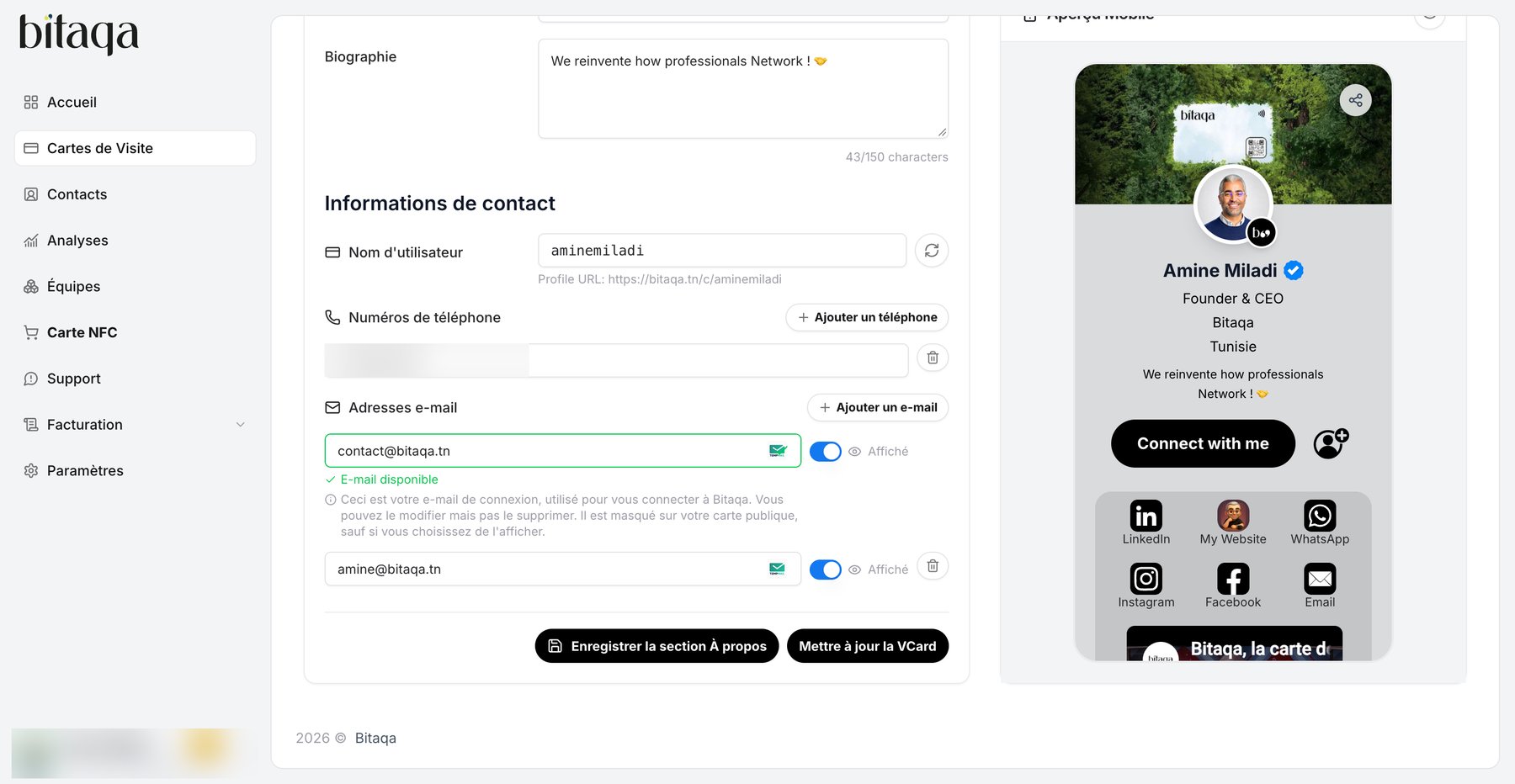
Contact information section: username, phone numbers and email addresses
3

Save

Click Enregistrer la section À propos, then Mettre à jour la VCard.
The login address is hidden on your public card unless you choose Affiché.
To change your password, open Paramètres: the Changer le mot de passe section asks for the current password, the new password (6 characters minimum) and its confirmation, then the Mettre à jour le mot de passe button. Having trouble? Write to contact@bitaqa.tn.