

Button names are shown as in the French interface.
1
Open the Code QR tab
In Cartes de Visite, click Modifier le profil, then the Code QR tab.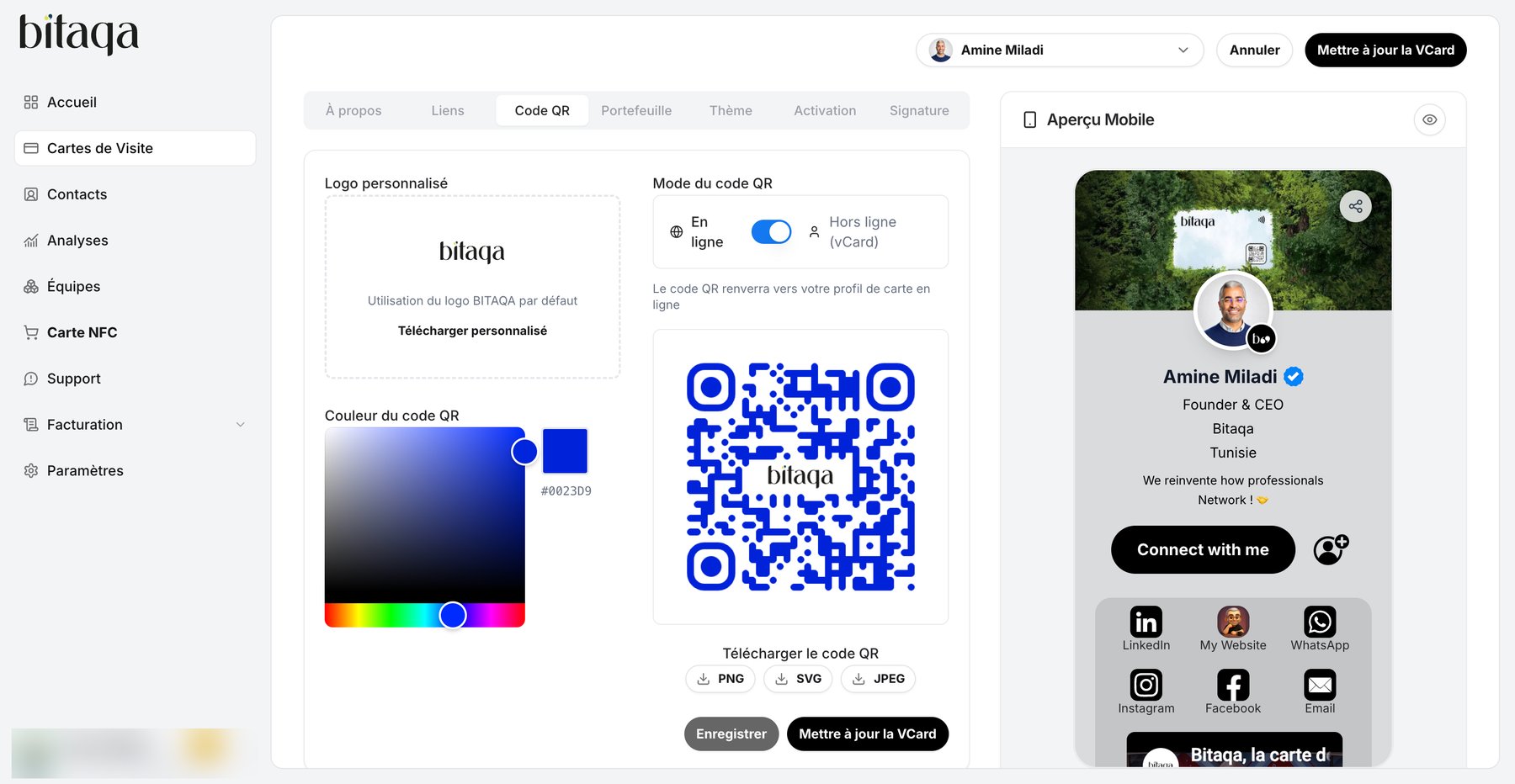
2
Customize the logo
By default, the BITAQA logo is used. To use your own, click Télécharger personnalisé.
3
Choose the color
Enter a value in Couleur du code QR (default
#000000).4
Choose the QR code mode
- En ligne (online): the code leads to your online card profile.
- Hors ligne (vCard) (offline): the code contains your contact details directly.
5
Download and save
Pick PNG, SVG or JPEG with Télécharger le code QR, then click Enregistrer and Mettre à jour la VCard.