

Button and field names are shown as in the French interface.
1
Open the shop
From your space, click Carte NFC in the left menu. The Bitaqa shop opens; you can also reach it at bitaqa.tn/produits.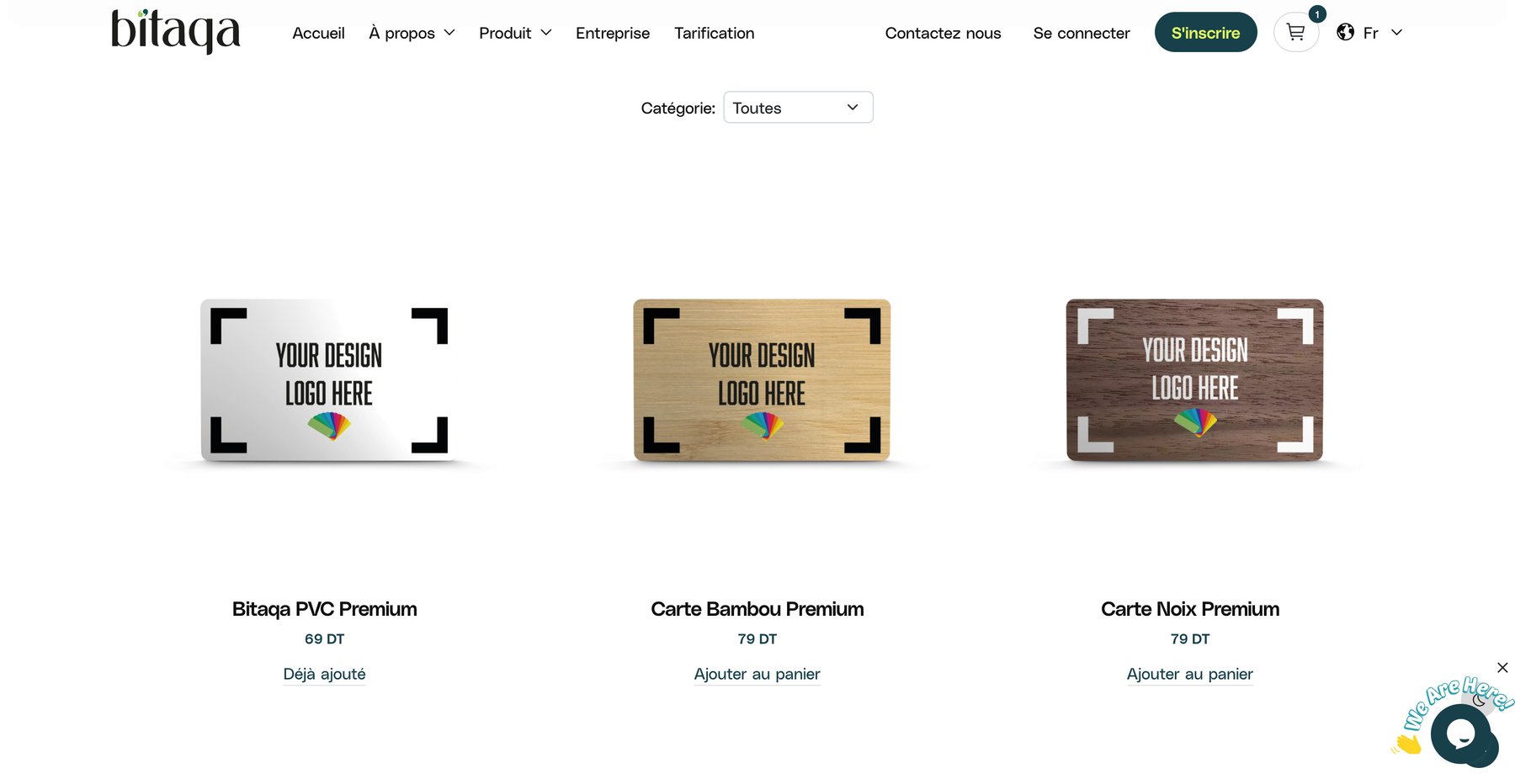
2
Choose a product
Filter with the Catégorie (category) list (default Toutes, all), then find the model you want with its price.
3
Add to cart
Click Ajouter au panier. A product already in the cart shows Déjà ajouté. The cart icon at the top right shows the number of items.
4
Enter delivery details
On the checkout page, fill in: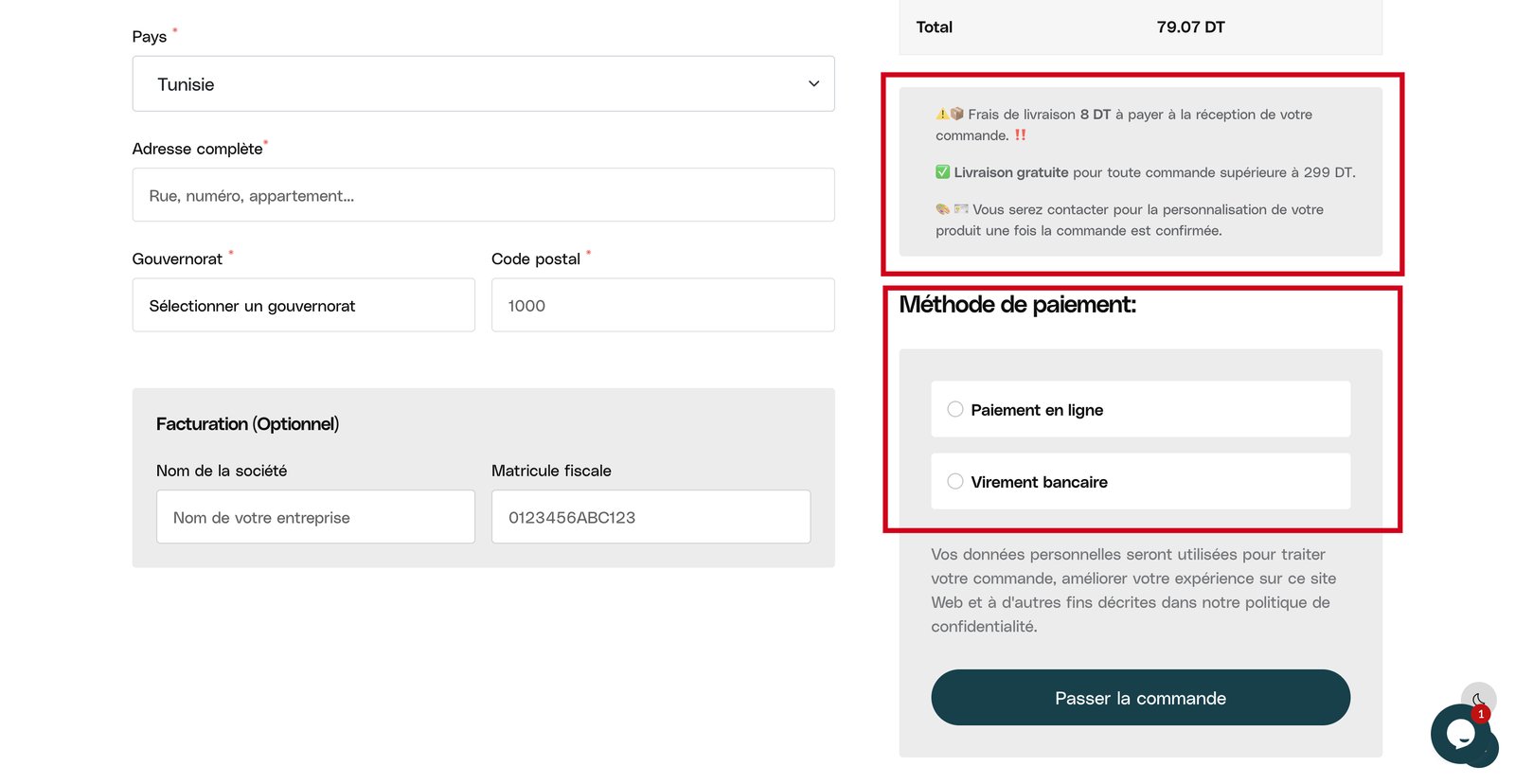
- Pays (country, for example Tunisie),
- Adresse complète (street, number, apartment),
- Gouvernorat (governorate, choose from the list),
- Code postal (postal code).
5
Add billing details (optional)
In the Facturation (Optionnel) block, enter the Nom de la société (company name) and Matricule fiscale (tax ID) if you want an invoice in your company’s name.
6
Choose the payment method
Under Méthode de paiement, choose Paiement en ligne (online payment) or Virement bancaire (bank transfer).
7
Place the order
Check the Total, then click Passer la commande (place the order).
Delivery fees and times
- Delivery fee: 8 DT, paid when you receive your order.
- Free delivery for any order above 299 DT.
- Personalization: once the order is confirmed, you are contacted to personalize your product.