

Button names are shown as in the French interface.
1
Open Analyses
Click Analyses in the left menu.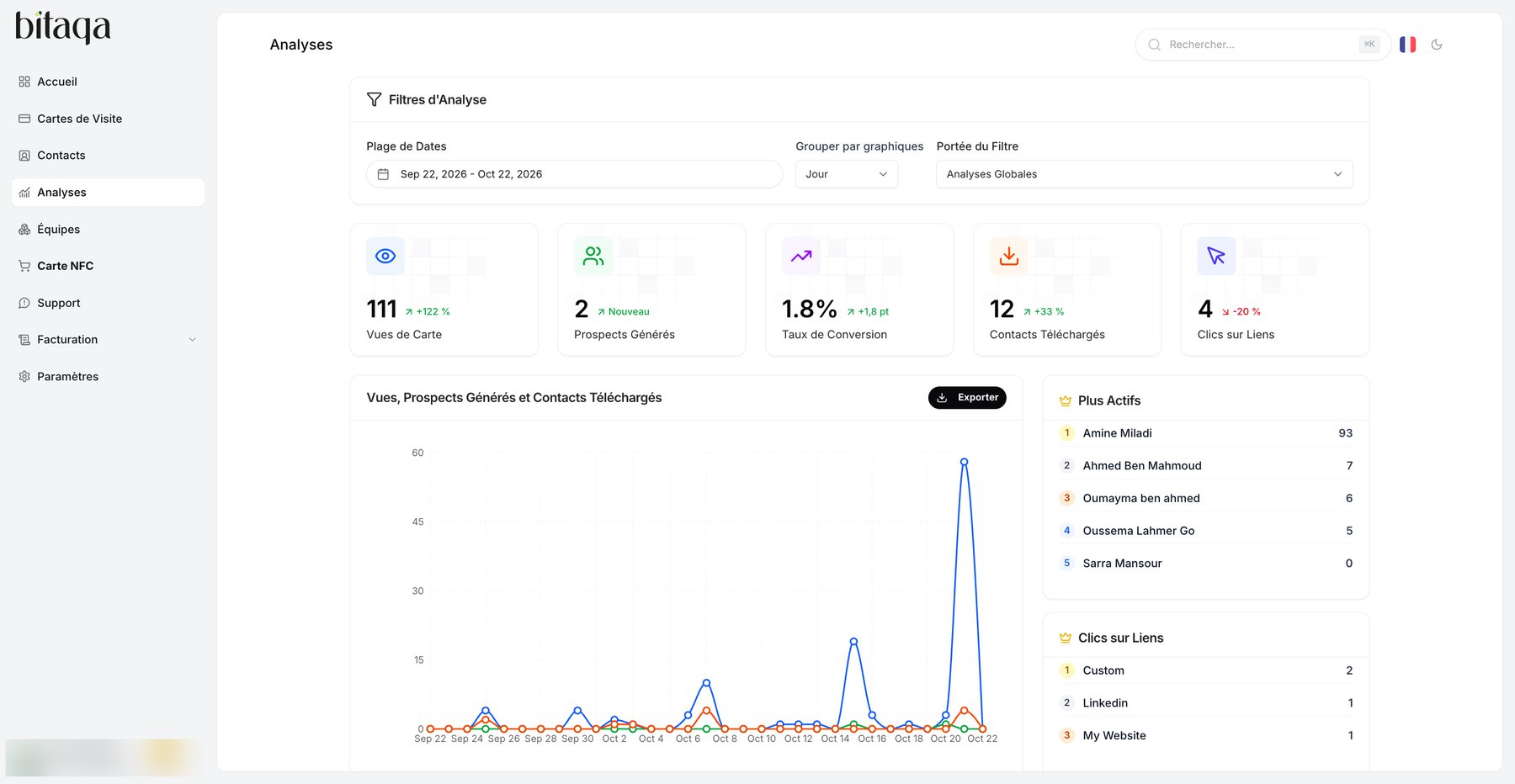
2
Set the filters
In Filtres d’Analyse, choose the Plage de Dates (date range), the grouping (Grouper par graphiques, for example Jour) and the Portée du Filtre (scope, for example Analyses Globales).
3
Read the indicators
The top cards show Vues de Carte (card views), Prospects Générés (leads generated), Taux de Conversion (conversion rate), Contacts Téléchargés (contacts downloaded) and Clics sur Liens (link clicks), with the change over the period.
Charts and rankings
- Vues, Prospects Générés et Contacts Téléchargés: activity curve over the period.
- Tendance du Taux de Conversion: conversion rate trend.
- Plus Actifs: ranking of members whose cards are viewed the most.
- Clics sur Liens: the most clicked links on your cards.
- Votre Impact Écologique Réel: the impact of your digital cards compared with paper.