

Button names are shown as in the French interface.
Activate your card
1
Open the Activation tab
In Cartes de Visite, click Modifier le profil, then the Activation tab.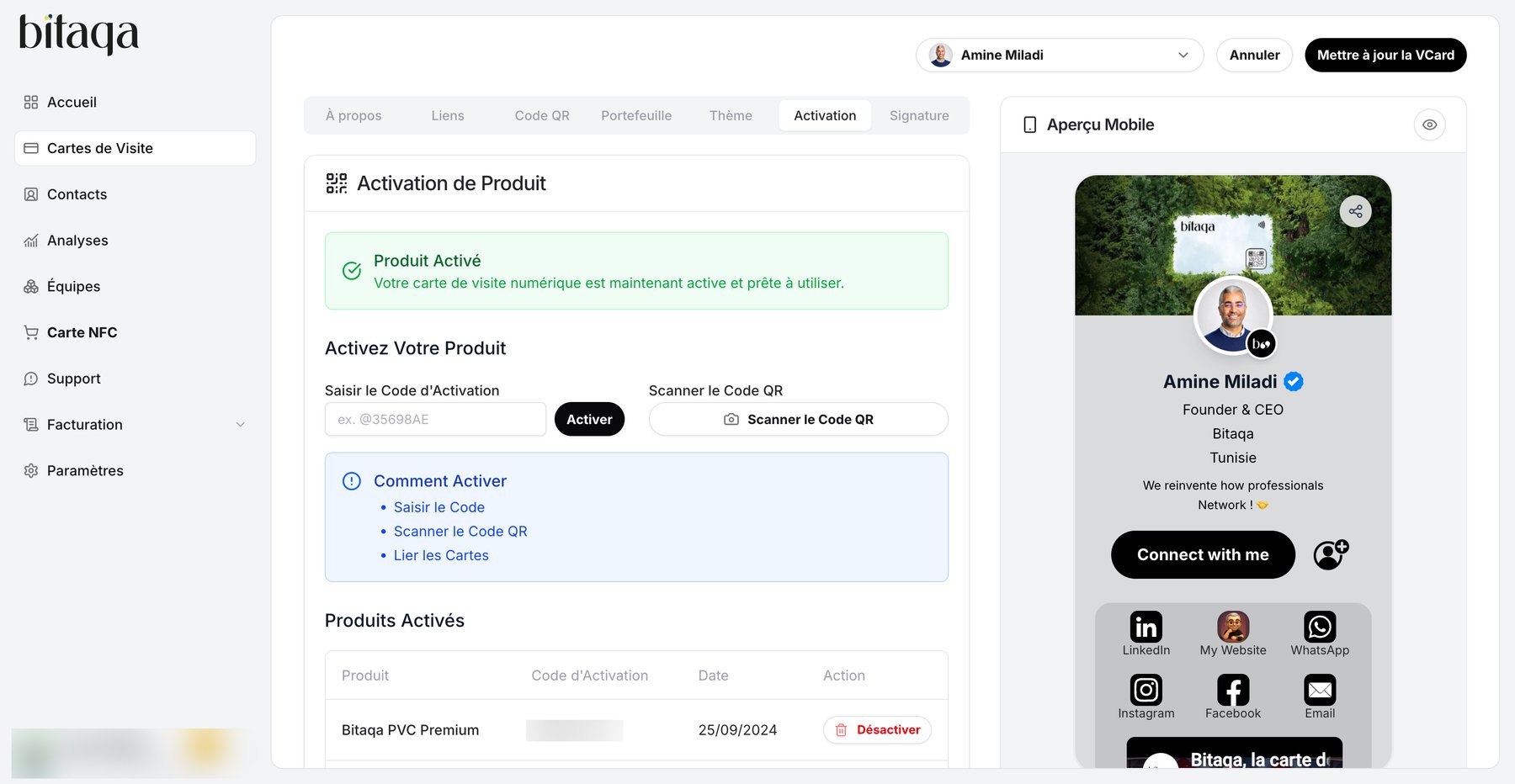
2
Link your product
Choose one of the methods under Comment Activer:
- Saisir le Code (enter the code): type the activation code, then click Activer.
- Scanner le Code QR (scan the QR code): click Scanner le Code QR and scan your product’s code.
3
Check the activation
Your product appears under Produits Activés. Until a product is linked, the list says “Aucun produit activé pour le moment”.
Share your card
1
Hold the card close
Place your Bitaqa card against the back of the other person’s phone.
2
Open the profile
3
Save the contact
The other person can save your details in 2 clicks.