

Button names are shown as in the French interface.
1
Open the Portefeuille (Wallet) tab
In Cartes de Visite, click Modifier le profil, then the Portefeuille tab.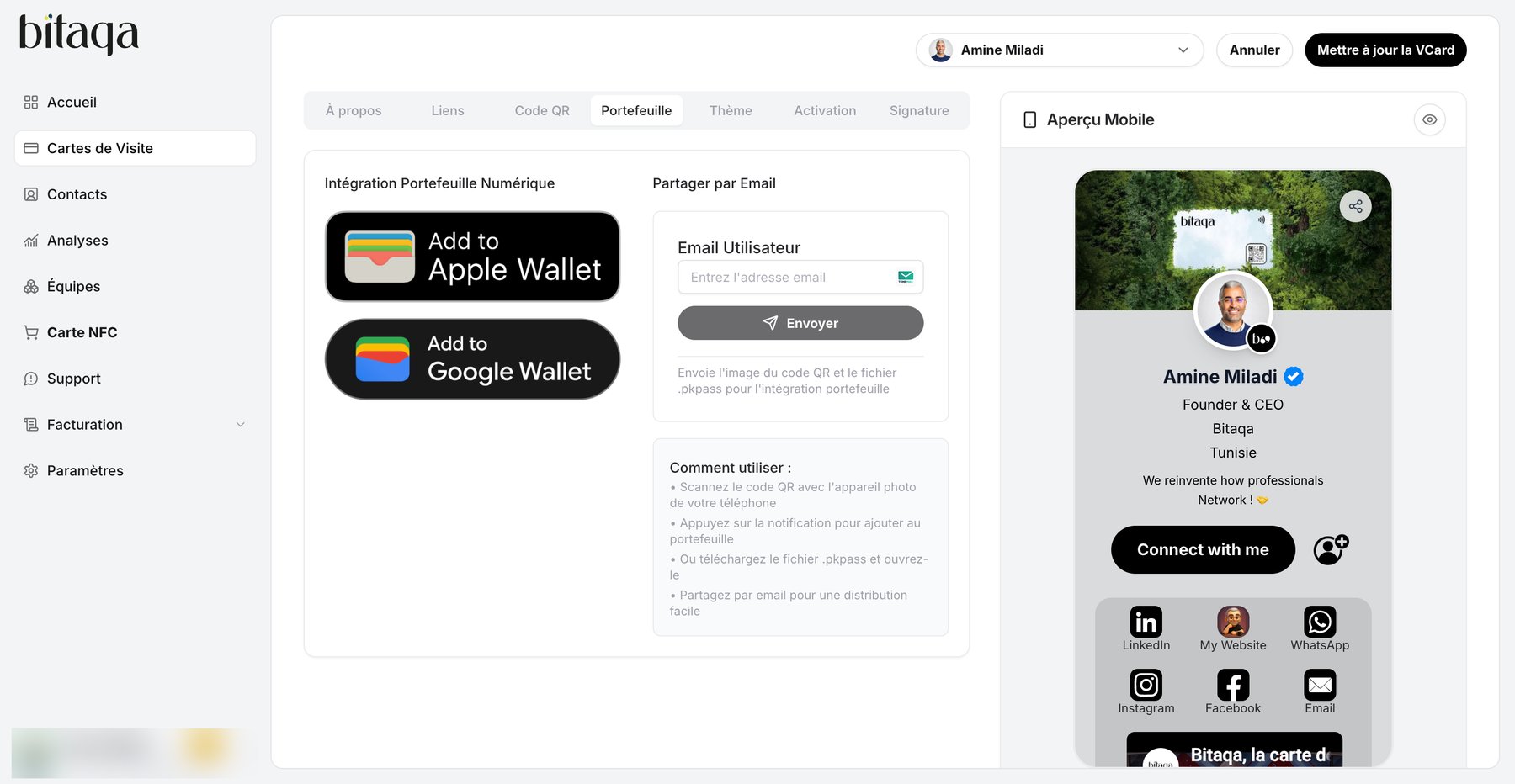
2
Choose the method
Three options:
- Scan the QR code with your phone’s camera, then tap the notification to add the card to your wallet.
- Download the
.pkpassfile and open it. - Email the card to yourself: type the address in Email Utilisateur, then click Envoyer. You receive the QR code image and the
.pkpassfile.
Sharing by email is handy to distribute the card to a colleague.