

Button names are shown as in the French interface.
1
Open Cartes de Visite
Click Cartes de Visite in the left menu, then scroll to the bottom of the card list.
2
Find “Ajouter une nouvelle carte”
The Ajouter une nouvelle carte (add a new card) block offers to create a new vCard for your company or personal use.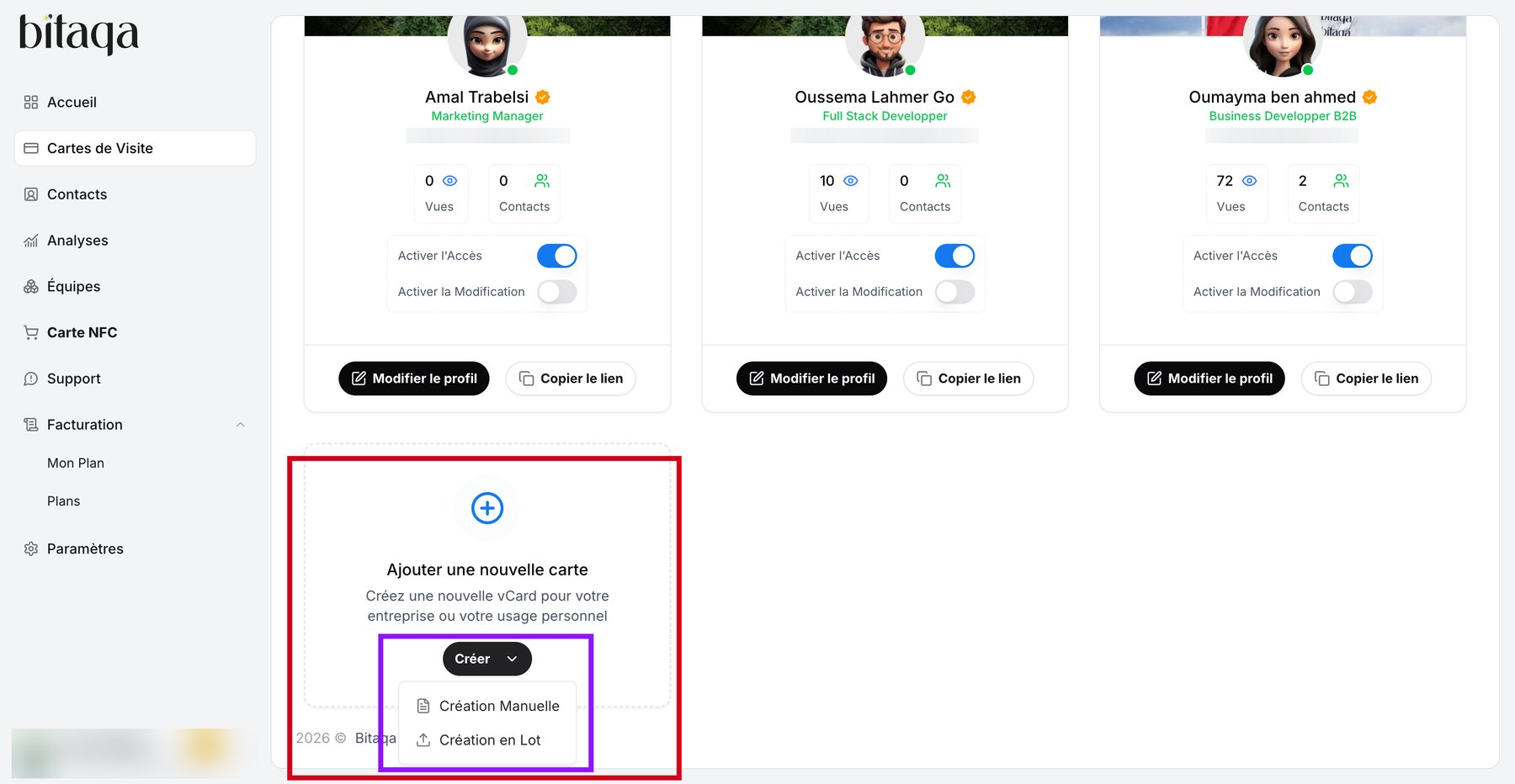
3
Open the Créer menu
Click Créer (create). Two choices appear:
- Création Manuelle (manual creation): create one card at a time.
- Création en Lot (bulk creation): create several cards in a single operation.
4
Create in bulk
Click Création en Lot.
The number of cards you can create depends on your plan: your quota appears at the top of the page (for example Cartes Autorisées 9/15). To increase it, see Upgrade to the Pro plan.