

Button names are shown as in the French interface.
Choose the layout and color
1
Open the Thème tab
In Cartes de Visite, click Modifier le profil on the card, then the Thème tab.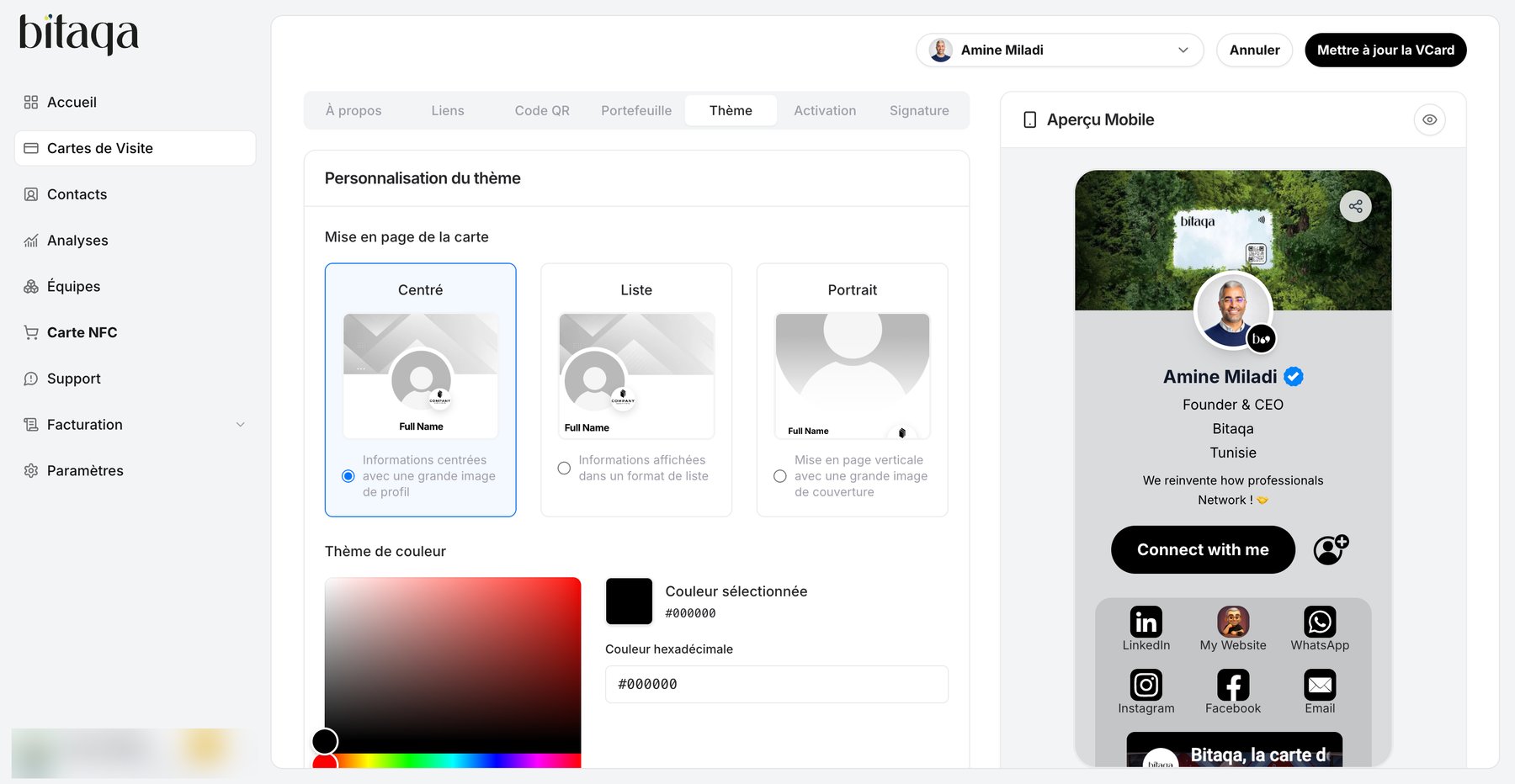
2
Choose the card layout
Pick one of three options:
- Centré (centered): centered information with a large profile picture.
- Liste (list): information shown as a list.
- Portrait: vertical layout with a large cover image.
3
Choose the color theme
Under Thème de couleur, pick a Préréglage (preset) or enter a value in Couleur hexadécimale (for example
#015249).4
Save
Click Enregistrer la section thème, then Mettre à jour la VCard. Check the result in the Aperçu Mobile.
Add the company logo
In the À propos tab, Logo de l’entreprise block (400×400 px, JPEG or PNG), click Télécharger un logo. Save with Enregistrer la section À propos, then Mettre à jour la VCard.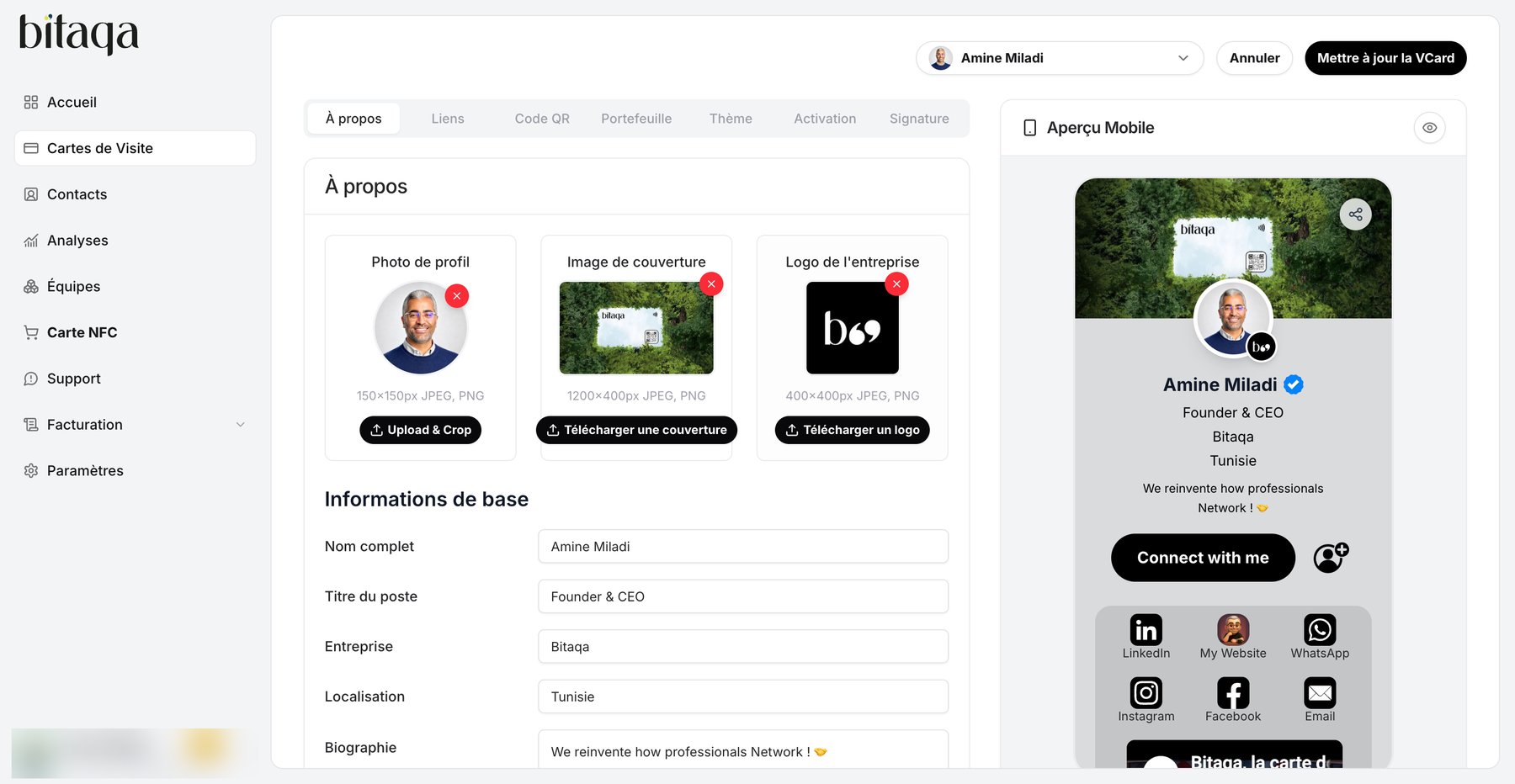
To set the company name, logo and location for the whole team, open Paramètres, section Informations de l’entreprise, then click Mettre à jour l’entreprise.