

Included credits and packs
- Included credits renew every 3 months.
- A purchased pack is valid for 1 month from payment confirmation. Credits not used by then expire.
- The credits that expire first are used first.
Check your balance
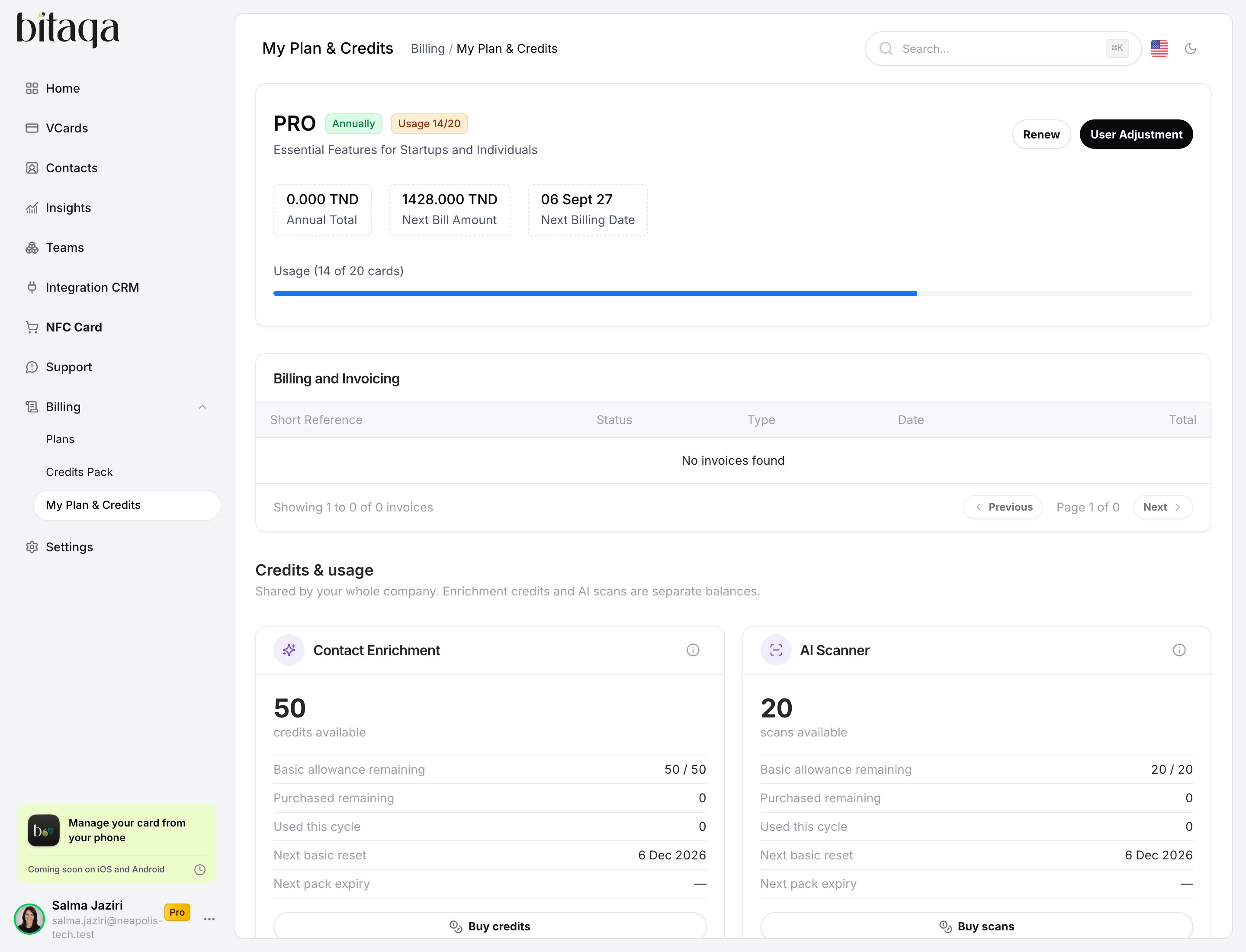
Click Billing in the left menu, then My Plan & Credits. The Credits & usage page shows:- the Basic allowance remaining for each balance;
- your packs, in the Packs & allocations tab;
- each use in detail, in the Consumption tab;
- an alert when credits are about to expire.
Buy a pack
1
Open the packs
Click Billing, then Credits Pack. You can also click Buy credits or Buy scans on the Credits & usage page.
2
Choose a pack
Pick the Contact Enrichment Packs or AI Scanner Packs tab, then click Buy under the pack you want. Each pack shows its price excluding VAT, the VAT, the total including VAT and its validity.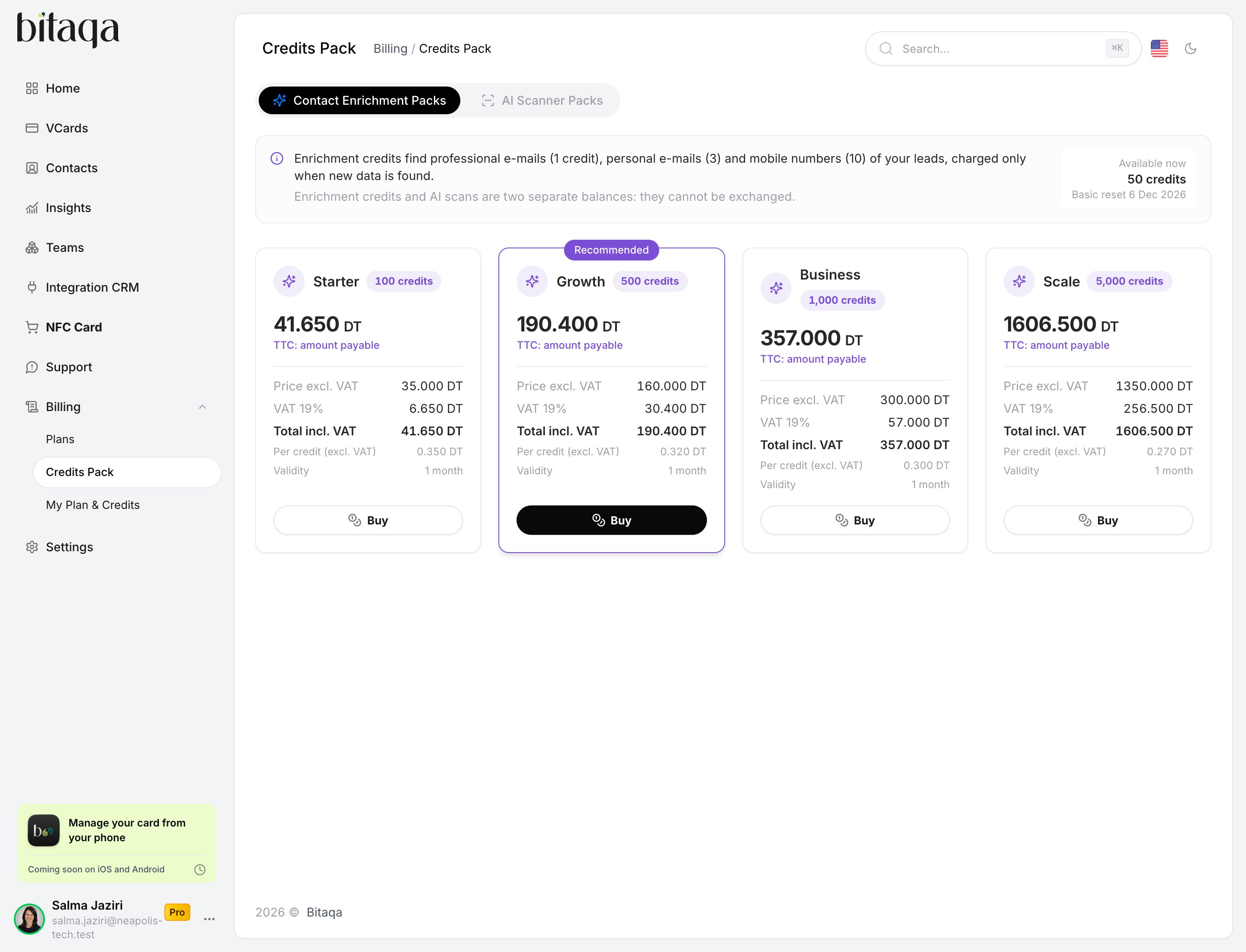
3
Pay
Pay online, or by bank transfer. A bank transfer is confirmed by the Bitaqa team: the credits become available after that confirmation.
Choose who can use a pack
The company owner chooses which roles can use each purchased pack:- Owner
- Team Leaders
- Team Users
If your company goes back to the Free plan, your packs are kept until they expire and can be used again when you return to Pro.