

Lead enrichment is a Pro feature. It uses your company’s enrichment credits. See Credits and packs.
Start an enrichment
1
Open enrichment
- Dashboard: on the Contacts page, click Enrich in the lead’s Enrichment column. You can also open the lead’s details and click Enrich this lead.
- Mobile app: open the lead’s details, then tap Enrich this lead.
2
Check the search data
The search uses the Full name with the Company or the Company website or domain, or the LinkedIn profile (optional). The more precise this data, the better the result. A LinkedIn link is the most reliable.
3
Choose what to look for
Under What to look for, tick at least one field (see the table below). The number of credits held is shown before you start.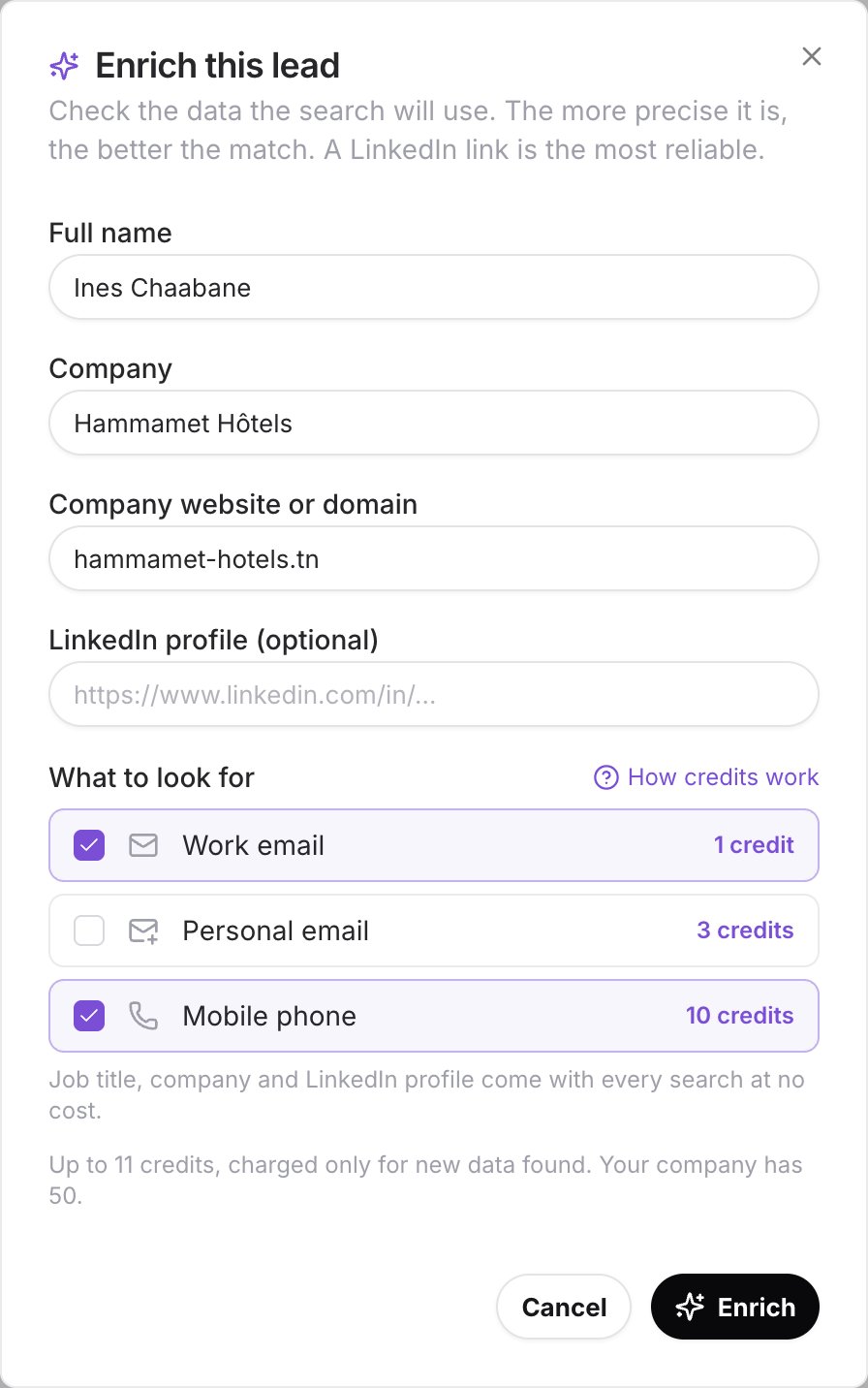
4
Run the search
Click Enrich. The search can take up to a minute. Click Continue in background to close the window meanwhile.
5
See the result
The window shows Contact details found and the company details. The Enrichment column changes to Enriched.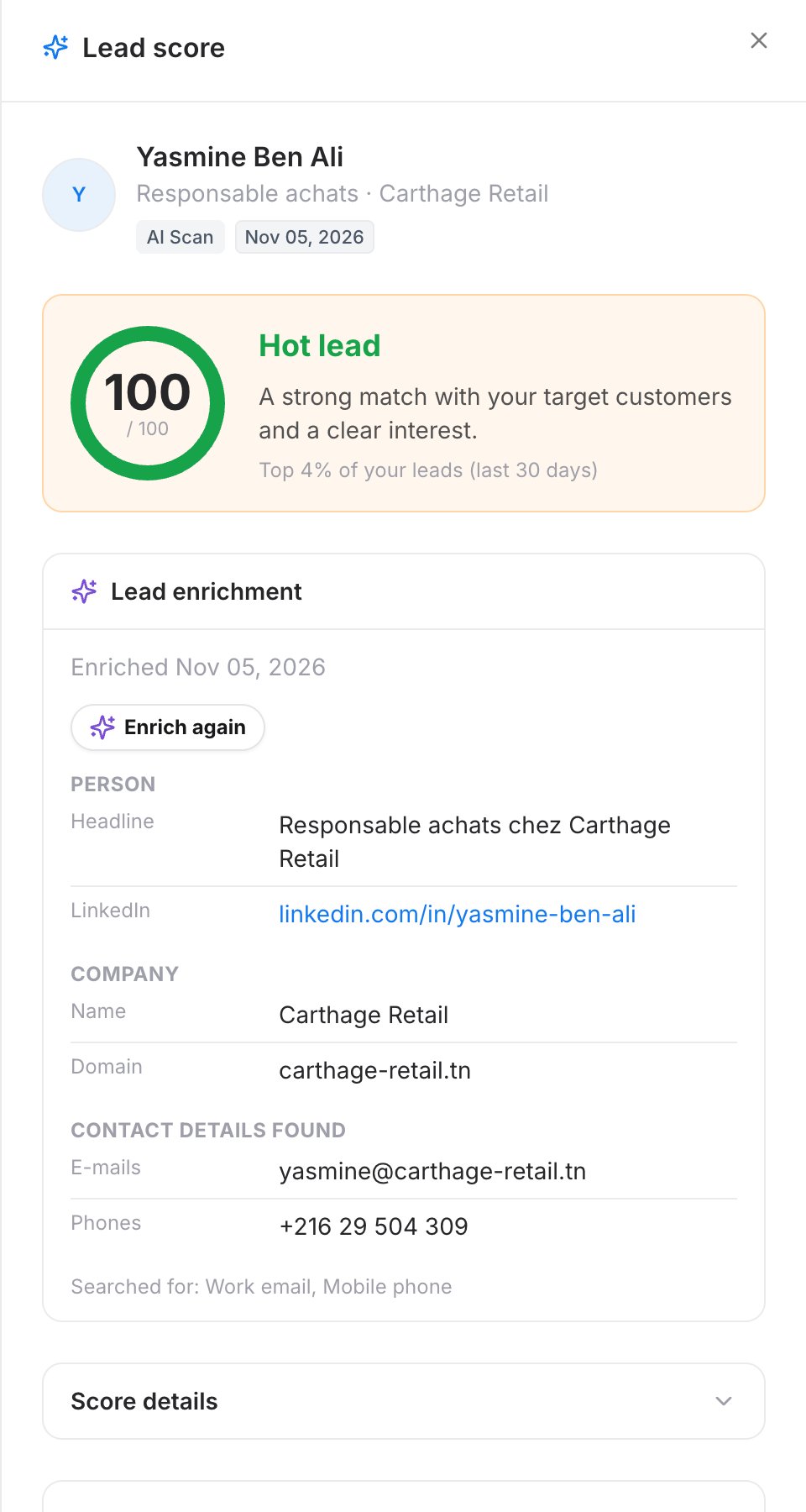
What you can look for
Each search also returns company details at no cost when they are available: domain, industry, size, headquarters and founding year. The lead score is recalculated with this new data.
How credits are counted
- When the search starts, the maximum cost is held (Up to N credits held).
- Only what is found is charged. A field that is not found, or data the lead already has, is not charged: those credits are given back.
- Example: you look for the work email and the mobile phone, so 11 credits are held. Only the e-mail is found: 1 credit is charged and 10 credits are given back.
- If nothing new is found, No additional data was found for this lead is shown and nothing is charged.
Limits
- Your company gets 50 enrichment credits included every 3 months. You can buy extra packs.
- A daily search limit applies to each company. If you reach it, try again the next day.
Troubleshooting
Not enough information on this lead to enrich it
Not enough information on this lead to enrich it
Add a full name and a company or domain, or a LinkedIn link, to the lead, then try again.
Pick at least one field to look for
Pick at least one field to look for
Tick at least one field under What to look for.
Lead enrichment requires a PRO subscription
Lead enrichment requires a PRO subscription
Upgrade to Pro. See Upgrade to Pro.