Lead score is a Pro feature.
How the score is calculated
Missing data never lowers the score: it just adds nothing. Until your target profile is set up, the score is the intent alone, as a percentage.
Read a lead’s score
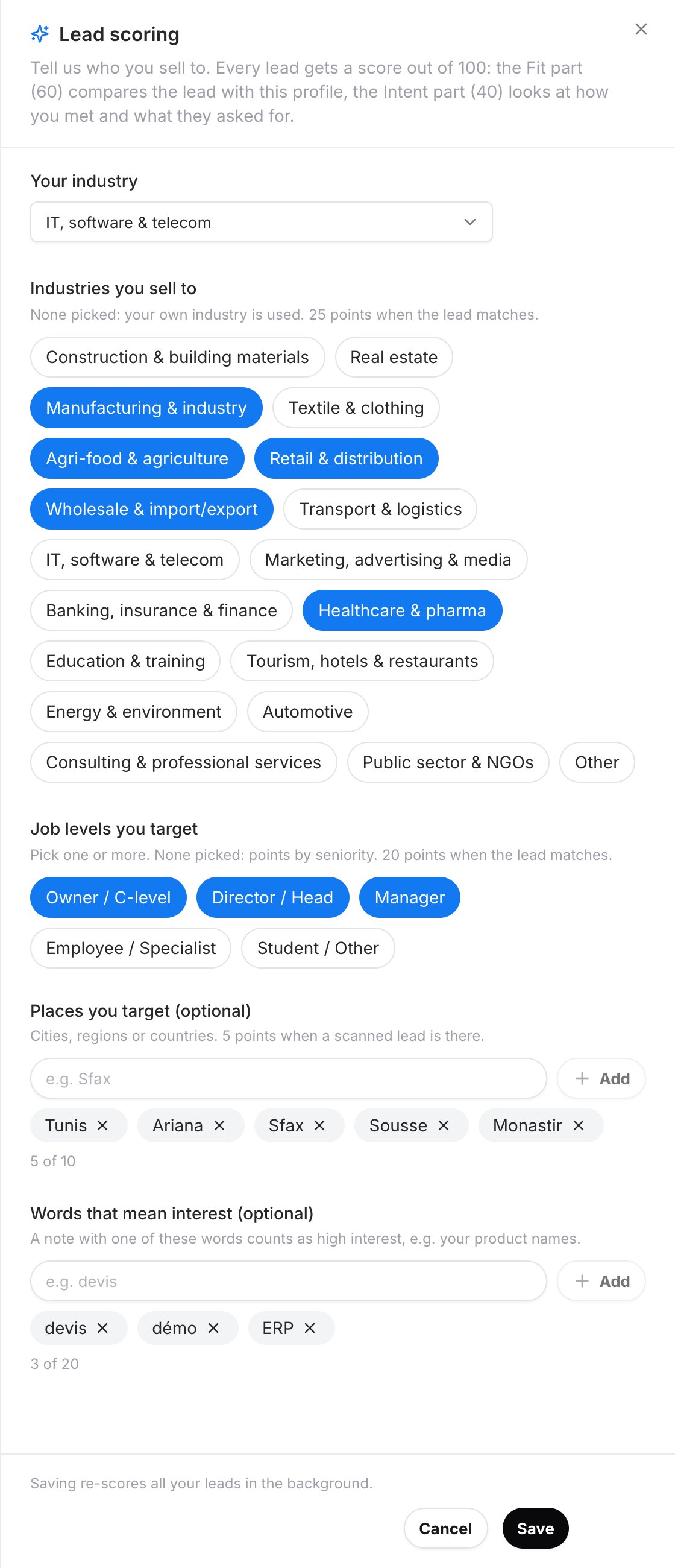
Each lead shows its score and a level:- Hot lead: a strong match with your target customers and a clear interest.
- Strong lead
- Warm lead: some of what you look for is there.
- Cold lead: little of what you look for, or not enough data yet.
- the points earned for Fit and Intent, criterion by criterion;
- your ranking, for example Top 10% of your leads (last 30 days);
- a Suggested next step: Follow up within 24 hours, Follow up this week or Keep in touch.
Set up your target profile
The company owner sets what the fit part compares against.1
Open the scoring settings
- Dashboard: click Settings in the left menu, then Set up lead scoring, on the Lead scoring row.
- Mobile app: open Settings, then Lead scoring.
2
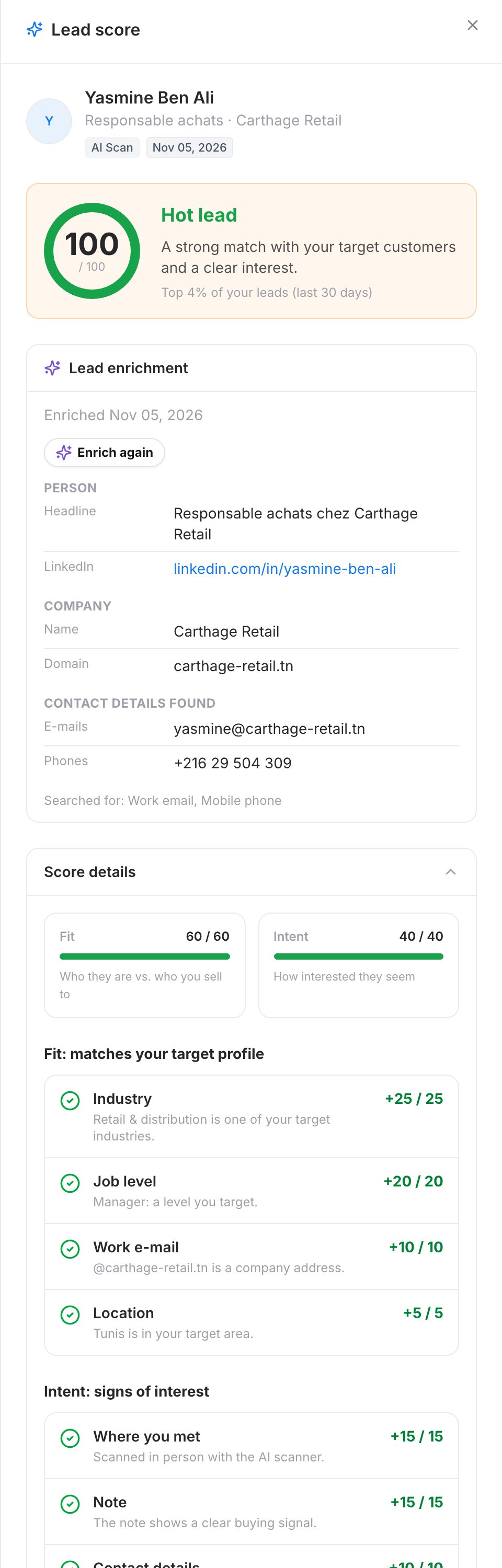
Describe your target customers
- Industries you sell to: if you pick none, your own industry is used.
- Job levels you target: pick one or more. Otherwise, points depend on seniority.
- Places you target (optional): cities, regions or countries.
- Words that mean interest (optional): a note with one of these words, such as your product names, counts as high interest.
3
Save
Click Save. All your leads are re-scored in the background, which can take a few minutes.